Every iOS team eventually hits the same wall: you need to see what your app is doing — network calls, memory, UI layout, sandbox state — but the tools that work well on macOS or Android do not map cleanly onto Swift and UIKit. Proxies need certificate trust. Desktop bridges need a host machine. Flipper needs a React Native integration that Meta deprecated in 2023. We kept reaching for one toolkit that felt native, stayed local, and shipped with zero backend dependencies. That gap is why DebugSwift exists.
The problem with external debugging
macOS HTTP proxies like Charles and Proxyman are excellent at what they do. They terminate TLS, show decrypted bodies, and support breakpoints. But on iOS they introduce friction: install a root CA on the simulator or device, configure system proxy settings, work around certificate pinning, and route traffic through another process on your Mac. None of that is wrong — it is just a different model than in-process inspection.
Flipper took another path: a desktop app connected to your mobile app over a bridge. Meta integrated it into React Native for years, then deprecated first-party support in RN 0.73 and removed the template integration in 0.74. The product still exists, but the default workflow for native iOS teams no longer includes it. Teams migrating away need something that runs inside the app, not beside it.
What we actually needed
We listed the tasks we perform every day while building Swift apps — not a feature checklist, but real workflow steps:
- See every URLSession request and response without proxy setup or cert pinning workarounds
- Inspect WebSocket frames from URLSessionWebSocketTask with no manual registration
- Catch leaked view controllers after popping a navigation stack
- Browse UserDefaults, Keychain, SQLite, and SwiftData without exporting files
- Overlay CPU, memory, and FPS while scrolling a heavy list
- Record a bug reproduction as annotated screenshots for QA
- Strip all of it from release builds with a single #if DEBUG guard
No single tool covered all of this for pure Swift/UIKit/SwiftUI projects. Network proxies do not show your view hierarchy. Xcode Instruments does not mock API responses. Console.app does not browse your sandbox. We kept switching between four or five apps per debugging session.
In-app, not beside-app
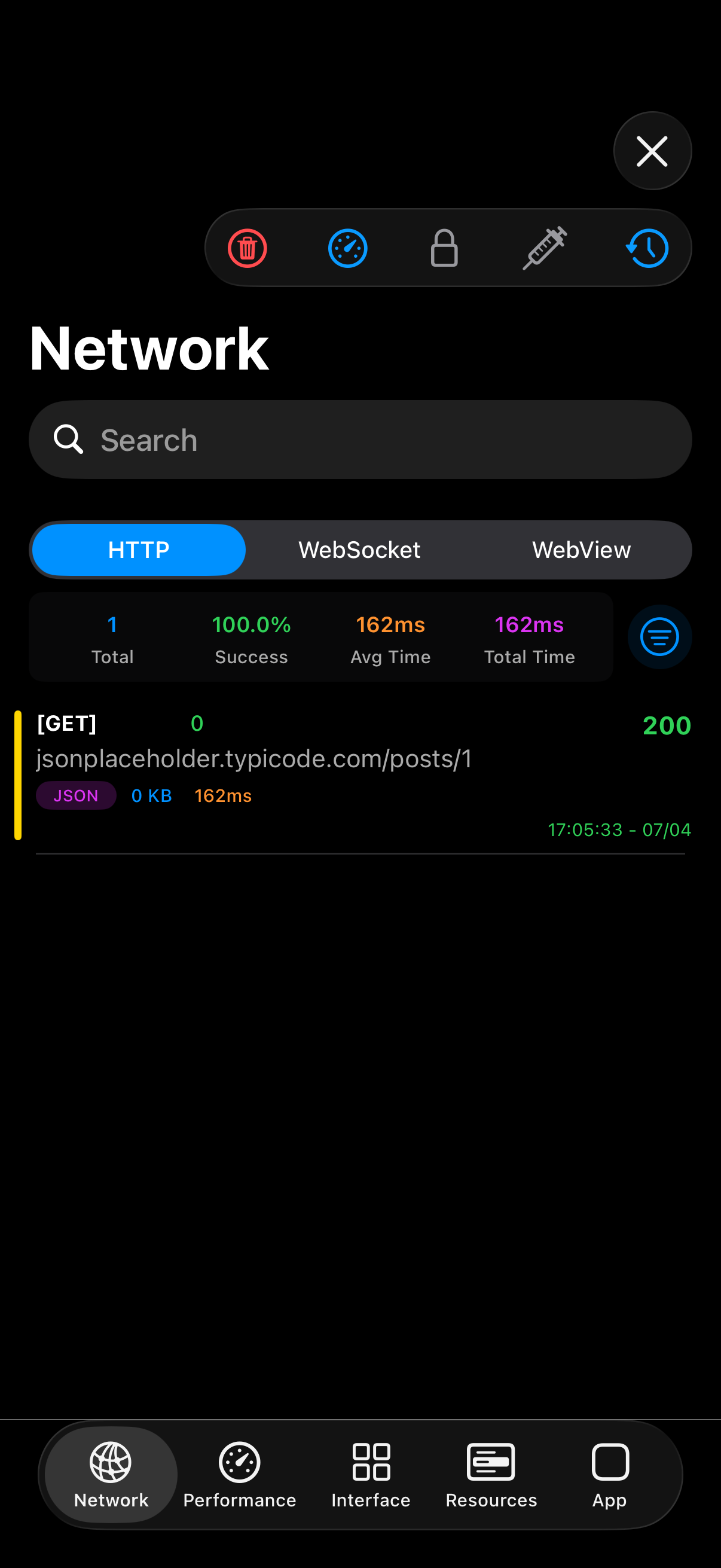
DebugSwift hooks the same APIs your app already uses. URLSession configuration is swizzled after setup(). WebSocket monitoring attaches to URLSessionWebSocketTask automatically. Leak detection instruments UIViewController lifecycle methods. Everything runs in-process on the simulator or device.
#if DEBUG
import DebugSwift

let debugSwift = DebugSwift()
debugSwift.setup()show()
#endif
Captured traffic never leaves your app unless you export it. There is no cloud account, no license server, and no desktop companion required. Debug on a plane, behind a corporate firewall, or with your Mac unplugged — the debugger travels with the binary.

Open source by default
DebugSwift is MIT licensed. The full source — network swizzling, Keychain browser, performance hooks, and the UI overlay — is on GitHub. When a debugger reads your auth tokens and sandbox files, you should be able to audit every line that handles that data. MIT also means teams can fork and maintain the project if priorities shift.
DEBUG builds only
The compile-time boundary matters. Wrap setup in #if DEBUG and the linker strips DebugSwift from release binaries. There is no runtime flag that accidentally ships a debug overlay to the App Store. The line between debuggable and shippable code is explicit.
Where we are today
DebugSwift ships network inspection, WebSocket capture, encrypted response decryption, response mocking, performance metrics, leak detection, view hierarchy tools, SwiftUI render tracking (beta), a documentation recorder, and runtime browsers for files, databases, and SwiftData. It is actively maintained, distributed via SPM and CocoaPods, and includes a prebuilt XCFramework for faster CI builds.
If you are an iOS engineer tired of juggling proxies, desktop bridges, and half a dozen single-purpose tools, DebugSwift is built for your workflow. Star the repo, file issues, or contribute — the toolkit improves when real teams use it daily.